
Login to clients.webo.hosting in the main menu under “Services” select “My Services”
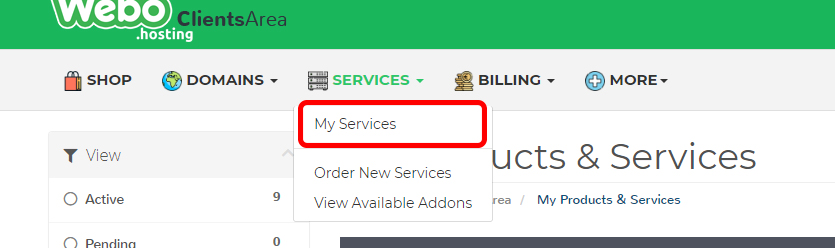
This will open a list of your services. Check the list and look for your Nextcloud Server as shown on the picture below.
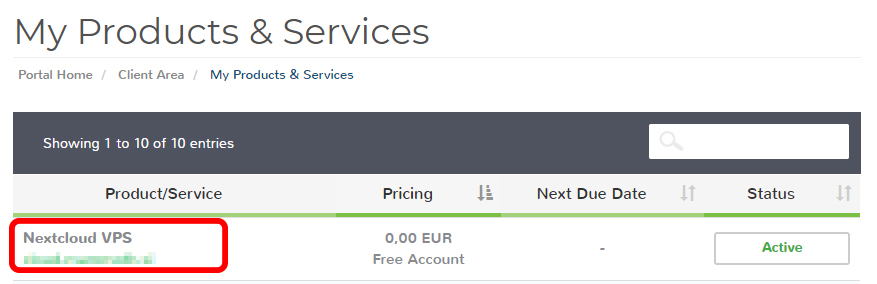
This will open your service in our case a VPS server. In the left menu search and click on Upgrade/Downgrade Options.


